Juno phone texts
Last updated November 11, 2026
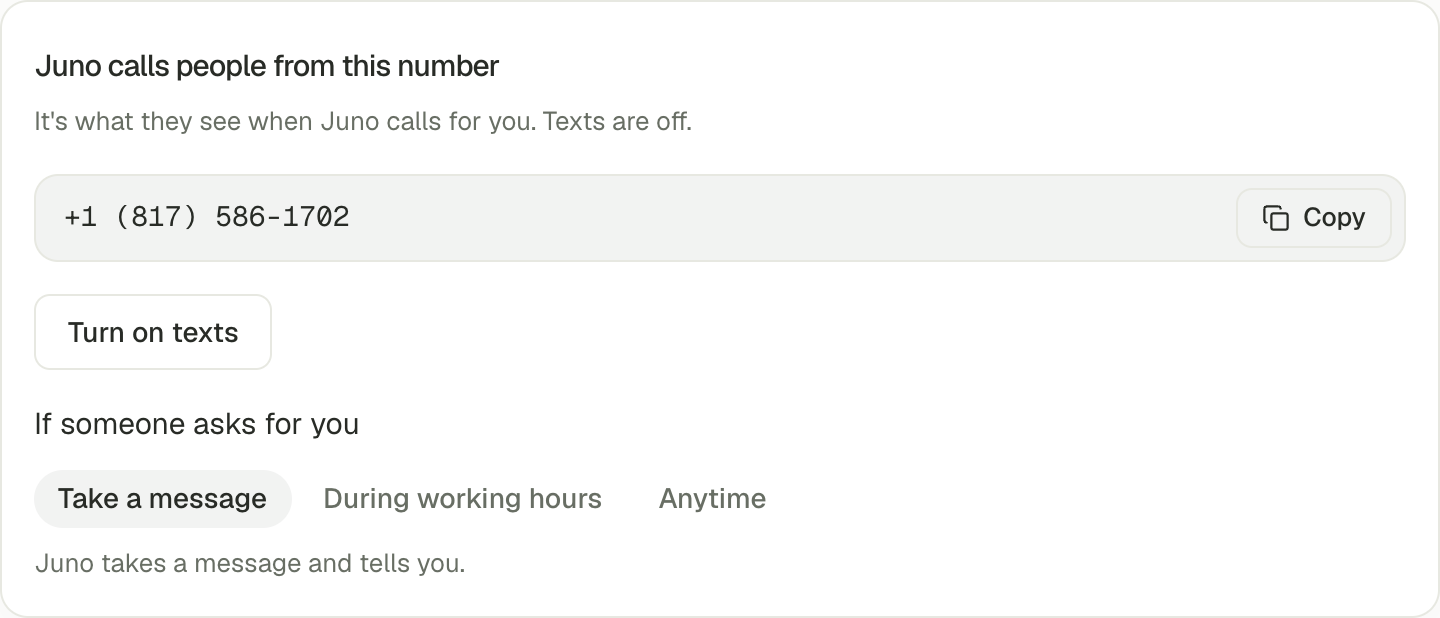
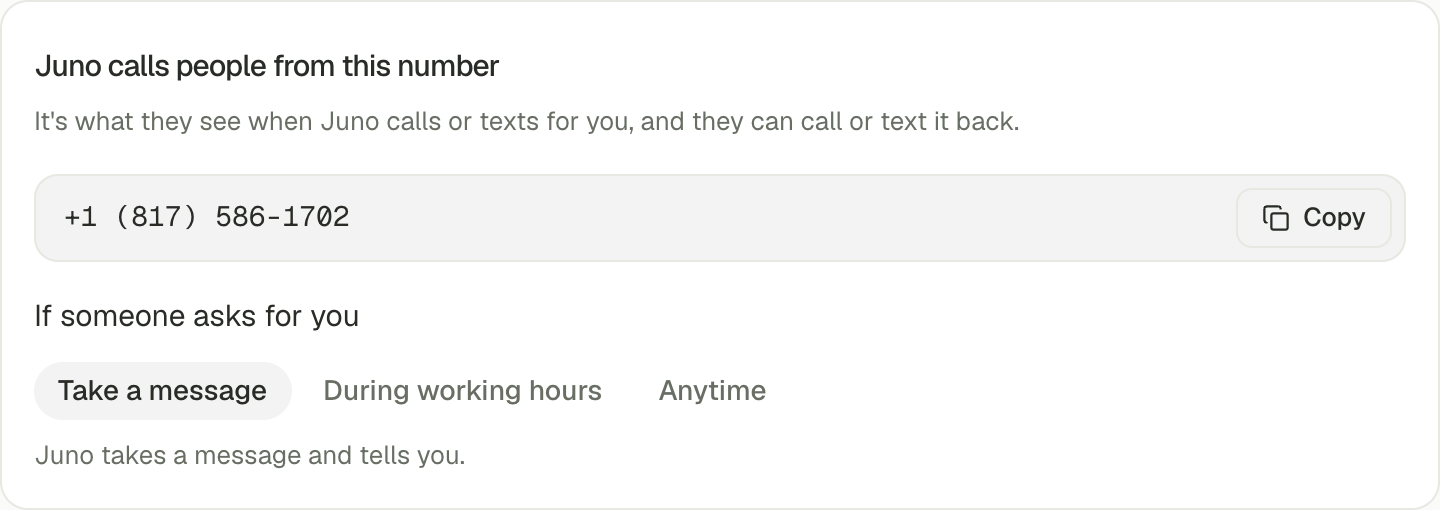
Juno members can get a Juno phone number. Juno uses it to call and text businesses’ support lines for them, like about an order or an account. Texts are optional: they only start after the member checks a box on the Calls page, like this. No marketing messages are sent.
How a member turns on texts
- Sign up at juno.ag with their own phone number.
- Open Calls. Their number for businesses shows there, and on its own it only makes calls.
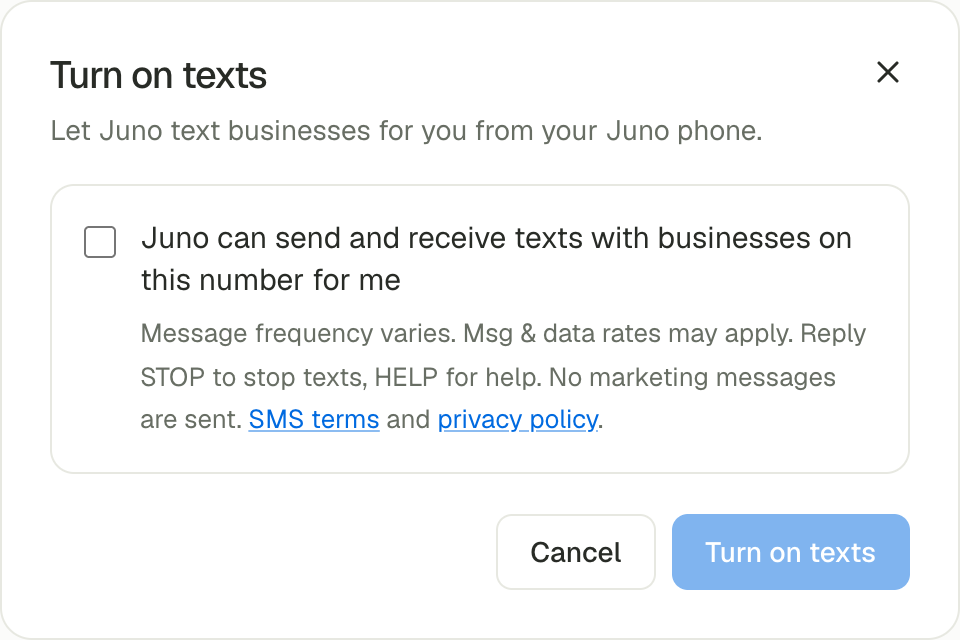
- Tap Turn on texts (or Get a number, if they don’t have one yet). The dialog has one checkbox for texts. It starts unchecked and isn’t required for a number: without it, the number only makes calls.
- When they check it, Juno saves when they agreed and which terms they saw.
What they agree to
The checkbox reads, word for word:
Juno can send and receive texts with businesses on this number for me
Message frequency varies. Msg & data rates may apply. Reply STOP to stop texts, HELP for help. No marketing messages are sent. SMS terms and privacy policy.
One checkbox is enough here because this line never sends marketing.
The details
- Who gets texts: businesses’ support lines, about the member’s own orders and accounts. Juno never texts anyone for marketing.
- Message frequency: varies, based on the member’s requests and the replies businesses send.
- Msg & data rates may apply.
- STOP: reply STOP to any text from a Juno phone number to stop texts to that number. Reply START to opt back in.
- HELP: reply HELP for help, or write to hello@juno.ag.
- Terms and privacy: the SMS terms and the privacy policy. Phone numbers and consent are never sold or shared for marketing.